Sunday, 8 January 2017

Amazon's Alexa - smart home voice assistant

Alexa has been with us for some time now. I have been able to play around with it. I currently have 2 Amazon Echo Dots.

According to Wikipedia "Alexa is an intelligent personal assistant developed by Amazon.com's Lab126, made popular by the Echo. It is capable of voice interaction, music playback, making to-do lists, setting alarms, streaming podcasts, playing audio books, and providing weather, traffic and other real time information. Alexa can also control several smart devices using itself as a home automation hub.[2] Most devices with Alexa allow users to activate the device using a wake-word (such as Echo), other devices require you to push a button in order to activate listening-mode. Currently, interaction and communication with Alexa is only available in English and German."
I hope that statement give a quick glance at what this device is really about, and whether it might be for you.

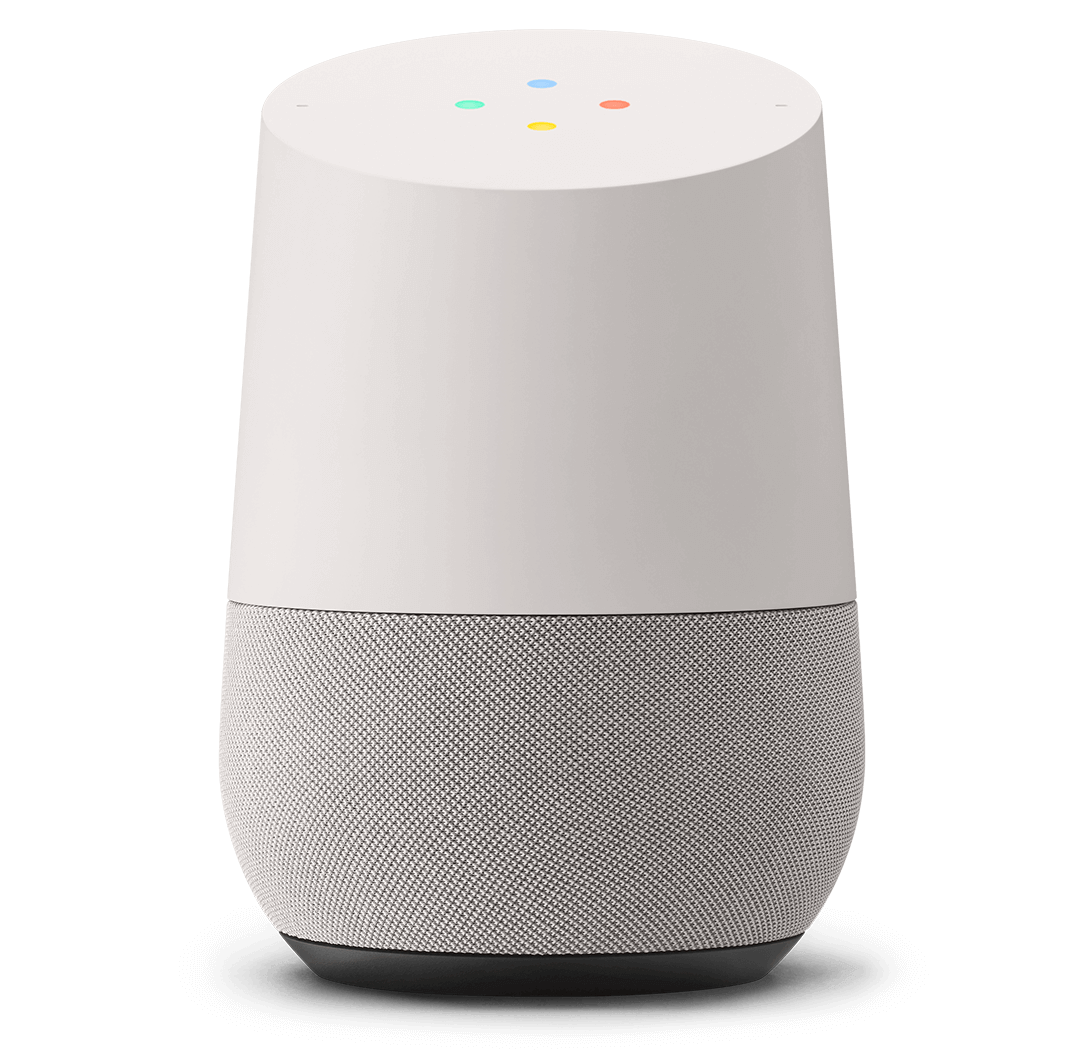
There are other voice assistance on the market and the main competitors to Alexa are the Google Home Assistant and Apple's HomeKit.
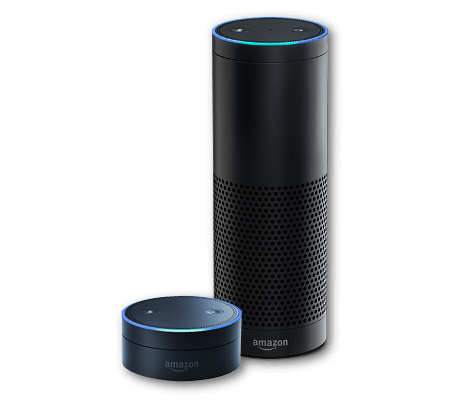


amazon-echo-glamour-v1.png
Amazon Echo (Taller) and Echo Dot (smaller)
straight-on.png
Gooogle Assistant
homekit.jpg


Apple Homekit
The following tables gives a summary of  current devices and systems which are compatible to each of the 3 offerings. The tables are written in the format of the "Smart Home Scoreboard for  CES2017" from which can be found at https://www.cnet.com/news/a-smart-home-scoreboard-for-ces-2017/
Tables in that link are continuously updated everyday, so the information here is a snapshot of information on that link.


Compelling smart device compartibility
Amazon Alexa
Apple HomeKit
Google Assistant
Belkin WeMo Dimmer
Chamberlain Smart Garage Hub
Belkin WeMo Dimmer
Whirlpool appliances
Leviton Decora light switches
Hyundai
Dish Hopper DVR
Honeywell Lyric Home Security and Control System
Chrysler 300
Element 4K TV

Nvidia Shield TV
LG Smart Instaview Refrigerator

Nvidia Spot
Ford Sync3


Mattel Aristotle by Nabi child's smart speaker


Hydrao smart showerheads


Samsung SmartThings kit


LightwaveRF Dimmaers and sockers


Compatible systems which are “Not bad”
Amazon Alexa
Apple HomeKit
Google Assistant
Samsung Powerbot VR7000 robot vacuum
Sylvania Multicolor smart bulb
Belkin WeMo Mini smart plug
WeMo Mini smart plug
Kwikset Premis smart lock
Coway Airmega air purifier
Omaker Wow speaker
Lifx Plus smart bulb
Switchmate Bright smart switch
Lenovo Smart Assistant speaker
ConnectSense Sensors
Switchmate Power smart plug smart switch
C by GE Lamp
Fibaro sensors
Sensory Voice Genie
Coway Airmega air purifier
First Alera Onelink Environment Monitor

First Alera Onelink environment monitor
Netatmo Smart Smoke Alarm

Somfy One security camera
Withings Home Plus WiFi cam

C-Way Memoo child's smart speaker
Carrier Cor smart thermostats

Switchmate Bright smart switch
D-Link Omna 180 Cam HD

Switchmate Power smart plug smart switch
Sensory Voice Genie

Hubble Hugo camera
Yale Real Living Assure Locks

Carrier Cor smart thermostats
Yale NexTouch Wireless Locks

Huawei Mate 9 phone
Incipio CommandKit WiFi Smart Wall Switch

Incipio CommandKit WiFi Light Switch


Incipio Command Kit Smart PowerStrip


Cambridge Nightengale


ADT Pulse


Sensory Voice Genie


Onkyo VC-FLX1


Mayfield Robotics Kuri


Gimmicky
Amazon Alexa
Apple HomeKit
Google Assistant
iDevices Instant Switch

LG Hub Robot


Ubtech Robots Lynx


Bixi


What you can do with Alexa?
The following is an example list of things that you can say or ask Alexa.
"Alexa, whats my day like tomorrow?"
"Alexa, tell Lizzy a bedtime story"
"Alexa, tell me a joke"
"Alexa, play Christmas music"
"Alexa, who is Michael Jackson?"
"Alexa, wake me up at 7 in the morning"
"Alexa, ask Skyscanner for a flight to New York"
"Alexa, ask The Telegraph for the top stories"
"Alexa, how's my commute?"
"Alexa, shuffle my Favourites playlist"
"Alexa, turn it up"
"Alexa, will it rain tomorrow?"
"Alexa, read my audiobook"
"Alexa, what's on my calendar today?"
"Alexa, what's the weather in London?"
"Alexa, play Taylor Swift from Amazon Music"
"Alexa, turn on the coffee machine"
"Alexa, turn on all the lights"
"Alexa, switch on main bedroom lights"
"Alexa, set the master bedroom to 20 degrees"
"Alexa, what's in the news?"
"Alexa, ask Uber to request a ride"
"Alexa, open Just Eat and ask for my last order"
"Alexa, ask Jamie Oliver for a recipe"

My setup
I have 2 Echo dots, One in the living room and the other one in my bedroom. I can use the one in the living room if I am in the Kitchen, provided there is not too much noise (like loud music playing), but it works all the time.

To be able to ask Alexa the above question and get expected answers, one need to activate the relevant "skills". Skills are software intelligence that recognises the context and subject of the questions, and know how and where to fetch the data to be able to respond to the pondered question. Say if you have your own product that you want to be compatible with Alexa, you can program a little piece of  software specifying the questions that people should ask, and then code the necessary response of your device, in form of actions (e.g. movements if its a mechatronic device, or database fetches, is its data requests)

I use most of the default skills that come enabled with Alexa, and I have activated a few more. I have the SmartThings and LightwaveRF smarthome kits (see previous posts). I connected and activated these skills in my Alexa, so I am able to do the following;
 - Switch on/off or dim lights (e.g. "Alexa set living room lights to 20 percent")
 - Switch on/off electrical sockets (thus controlling devices connected to those sockets)
 - Switch on/off heating


LightwaverRF and SmartThings Skills

The above systems are the key to the success of Alexa in my house. My visitors are always in awe of how I control devices and lights in my house by just using my voice.
At the moment no other home assistant is compatible with LightwaveRF system, so Alexa is ahead of the game at the moment.

If you have any interesting tricks, skills and features that you want to share or discuss, please leave a comment.

Saturday, 28 November 2015

SmartThings home automation kit


It has been a long time before posting anything on this blog. This was so, because of a lot of activities and responsibilities that I have been engaged in since late last year. However, that has not stopped me from playing around with a lot of tech. over the months, I have had pleasure trying out a number of prototype smart watches, liquor dispensers (really?...lol)  some new smartphones and cars.

You may have followed my earlier posts on home automations from some 3 or 4 years ago, where I used to talk of smart tvs, before they became mainstream, also X10 home automation, and probably the LightwaveRF kit which has been the central lighting and heating control system in my home.

Recently I got my hands on the Smart-things home automation kit by Samsung.


Smart-things kit


This kit is really dynamite, which comes in small packages, but with ability to do much much more...
The starter kit, which is the most basic set of devices that can get you started, usually consist of;
- a hub, which is the main brains and control centre,
- a on/off socket that can be plugged onto wall sockets and then in turn be used to control(switch on of any connected appliances)
- a motion sensor (which also doubles as a temperature sensor)
- a multi-sensor which can work as a magnetic open-close sensor as well as a temperature sensor.
- a presence sensor, which registers its presence whenever its in proximity to the hub.

The smart-things kit is based on industry standards like z-wave, which makes it compatible with other existing devices and sensors. This allows one to buy other sensors from other manufactures, which can be used or controlled via the smart-things hub.
These can be;

  • smoke detectors/alarms, 
  • door bell/chimes, 
  • heating control systems, 
  • other light bulbs,
  • network/ip wireless cameras
  • other security systems
  • etc etc
The best part is, all smart-things devices can be controlled via your smartphone, using a very sleek and responsive app, whether you are at home or away.


SmartThings Android App


You can also integrate your smart-things kit with IFTTT (if this then that) and use the already made recipes that can make your lights automatically switch off at dawn, or when you play a movie via your home cinema system, get a call when the smoke alarm goes off while you are away, etc etc, the list is endless.


Other companies that have tried total home-automation (lighting , heating, doors/widows open-close, energy consumption monitoring, temp/humidity etc etc) like LightwaveRF, however use proprietary standards which makes it hard to integrate or mix their devices with other vendors' and that is a major disadvantage that I think smart-things is trying to address.
Also smart things devices are quite smaller that most devices out there. However, when it comes to wall sockets and lighting control, their socket switch looks bulky and it sits between your wall socket and the appliance that's being controlled, in this case a lamp. For bulbs, obviously the assumption would be that one gets a compatible bulb, which can be controlled by the hub (and you have to leave the wall switch on all the time) So in that regard, smart-things is beaten hands down by LightwaveRF, which has got VERY sleek wall dimmers (which replace you wall switches) and also sleek wall sockets with their tech integrated in, which means the finished work looks very neat and subtle.


LightwaveRF kit


If there was a way of integrating these two systems, that was going to be a compelling proposition and direction as far as home automation and smart homes is concerned, but that is very unlikely.

Below are some videos that can demonstrate what you can do with the Smart-things kit;


Tuesday, 12 November 2013

Handy TSM queries

#query act log for media errors
q act begind=-1 search="media error"

#note the vol with error and query it to get its status
q libv cir-g-lib f=d

#check the volume out
checkout libv checkl=no rem=bulk

#query configured schedules
query sched f=d

#Removing a node from backup
q node f=d
q filespace
del filespace  *           (this removes all backup data for node1)
del filespace   nametype=fsid            (fsid is an integer for filesystem id)
remove node

#Renaming a node
rename node node2 node3 (this renames the node, but it keeps all the data)
(you'll need to logon to node2/3 and edit the dsm.opt/dsm.sys file etc and restart the scheduler to rename it on that side too).

#List filespaces that have not been backed up in the last 10 days for node
SELECT node_name,filespace_name, filespace_type,DATE(backup_end) as DATE FROM filespaces WHERE -node_name='' and DAYS(current_date)-DAYS(backup_end)>10

#show backups for the last 7 days
q event * * begind=-7 begint=12:00 endd=today node=

#show last backup completion date/time
q file  f=d

#show last successful backup end times for node
select END_TIME from summary where activity='BACKUP' and SUCCESSFUL='YES' and ENTITY=''

Wednesday, 7 August 2013

Simple straightforward upgrading of firmware on Dell servers

This has been testsed on Dell PowerEdge R720 running 64bit Centos 6.4

###Upgrade BIOS and firmware
###need to install 32bit libraries as the upgrade program itself is 32bit
yum install glibc.i686 libstdc++.i686 zlib.i686 libxml2.i686 compat-libstdc++.i686

wget -q -O - http://linux.dell.com/repo/hardware/latest/bootstrap.cgi | bash
yum install dell_ft_install
yum install $(bootstrap_firmware)
inventory_firmware
update_firmware
update_firmware –-yes

Friday, 14 September 2012

Meaning of /etc, /usr in Linux?

In my career, I have come across many people who have described the acronyms /etc, and /usr in very different ways. However, for all other purposes, all the users and Linux community generally agree on the use intended or otherwise, of these filesystem hierarchy levels.
The discussions that i have heard goes like so:

/usr


/usr: "user". , eg. /usr/bin is for general user binaries, /usr/doc and /usr/share/doc

Actually, /usr stands for Unix System Resources.

/usr usually contains by far the largest share of data on a system. Hence, this is one of the most important directories in the system as it contains all the user binaries, their documentation, libraries, header files, etc.... X and its supporting libraries can be found here. User programs like telnet, ftp, etc.... are also placed here. In the original Unix implementations, /usr was where the home directories of the users were placed (that is to say, /usr/someone was then the directory now known as /home/someone). In current Unices, /usr is where user-land programs and data (as opposed to 'system land' programs and data) are. The name hasn't changed, but it's meaning has narrowed and lengthened from "everything user related" to "user usable programs and data". As such, some people may now refer to this directory as meaning 'User System Resources' and not 'user' as was originally intended.

usr stands for "user-specific resources" and it fits quite nicly i think. it might be other abbreviations that is used with "usr" though, but i wouldnt know about them other then the ones ive read in this thread

According to linux-training.be/files/books/html/fun/ch09s08.html, it stands for Unix System Resources.

/usr - The secondary hierarchy which contain its own bin and sbin sub-directories.


/etc

 '/etc' is indeed an acronym and stands for "Editable Text Configuration".

Yes, etc stands for "etcetera" It's purpose in life is to host various configuration files from around your system.

Probably not the official meaning, but I have seen etc referred to as "editable text configuration".

it means the simple 'etcetera'

it means 'extended tool chest' per this gnome mailing list entry or per this Norwegian article.

"editable text configurations" is a stupid name too, because if it's text, it's evidently editable. So why not just "text configurations" then? Also, in early Unix, everything was editable (remember, in Unix, everything is a file), so that's superfluous too. And, lastly, it was the repository for a lot of things that weren't configurations, including binaries.

So whats your take on these!

Monday, 10 September 2012

Fixed RHEL/Centos 5 rpms for net-snmp-5.3.2.2-17 gpfs support

As raised in bug note 707912 ( https://bugzilla.redhat.com/show_bug.cgi?id=707912)
where net-snmp does not see mounted xfs filesystems, the shipped net-snmp-5.3.2.2-17 in the Centos 5.8 tree (and probably later versions in RHEL6 as well) does not support gpfs filesystems either.
The implication is that those who are upgrading from earlier versions (e.g. from Centos 5.5 to 5.8) will lose snmp monitoring of gpfs filesystems.
All the versions in the Centos 5.8 tree are broken. The only way to address the issue is to upgrade to a later tree (e.g. to Centos 6.3) or to build from source or to use third-party rpms.
I have managed to patch and rebuild the shipped net-snmp-5.3.2.2-17.x86_64.rpm and that has proved to be an easier, low risk alternative.
Those who may need to reuse my binaries are herehere & here
~]# yum remove net-snmp net-snmp-libs
~]# rpm -Uvh net-snmp-libs-5.3.2.2-17.x86_64.rpm
~]# rpm -Uvh net-snmp-5.3.2.2-17.x86_64.rpm
~]# rmp -Uvh net-snmp-utils-5.3.2.2-17.x86_64.rpm
~]# yum install OpenIPMI (re-install if you had removed it as dependent in first command)

Monday, 23 July 2012

Zenoss Filesystems Monitoring

Have came across many zenoss users asking about changing the default thresholds for filesystem, disk utilisation. In many cases, the issue is about the fact that the default template calculates percentage utilisation and and a threshold like (95%) may not be appropriate for large (hundreds of terabytes) filesystems.

There are a couple of things that can be done.
1. Modify the default template
2. Use a transform in /Events/Perf/Filesystem that calculate actual figures, then decide the fate of events based on these figures (you can obtain such a transform here)

If the first approach above sounds good, I may be able to upload a zenpack which adds a second graph on the template, and also contains a modified copy of FileSystem.py